Retention
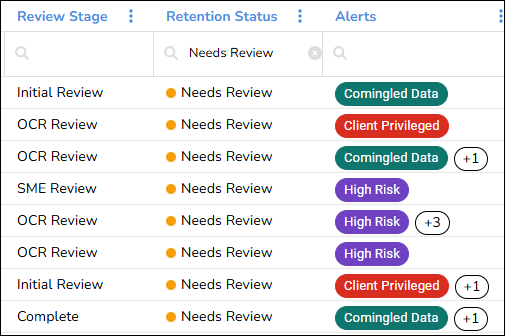
You can now manage and review retention for physical records in a Bulk Box data collection. This information helps your organization track retention decisions, assign records for review, and maintain supporting governance information.

Retention information displays on the Bulk Box data collection page:
Retention information also displays in Bulk Box record details:
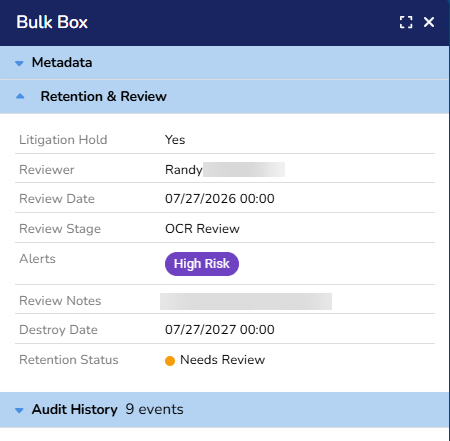
Access Unify | Energy maintains an audit history of retention decisions and changes. You can use this history to review activity and track how a record progressed through the retention review process.
Global Search Enhancements
On the Search Results page, you can now click Go To Collection to display your global search results on the associated data collections page.
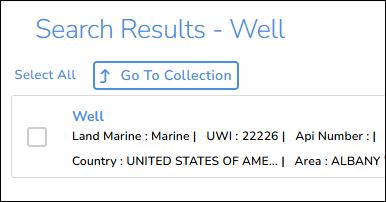
This makes it easier to work with specific records without navigating the entire collection. For example, you can search for specific well logs, display the results on the Well Log data collection page, and then perform actions on the well logs.
The new Global Search Results indicator displays on the data collections page to show that the page is displaying filtered search results.
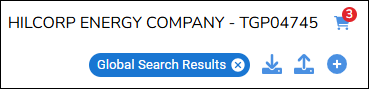
You can close the Global Search Results indicator to clear the search results and return to the complete data collection.
Chart Enhancements
The new Sunburst Results indicator displays when a data collection page is displaying filtered results from a chart.
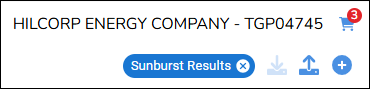
You can close the Sunburst Results indicator to clear the filtered results and display the complete data collection.
You can also click the new Export All to Excel button to generate a spreadsheet of all the metadata associated with a specific well, seismic survey, or line.